Native mail for your own server

Your mail server.
A native mail app.

TotalMail for Mac, iPhone and iPad connects to your TotalMail server. Your accounts, folders and rules appear by themselves, with the gestures, shortcuts and look you already know.

macOS 14+ iOS 17+ English · Español · Slovenčina
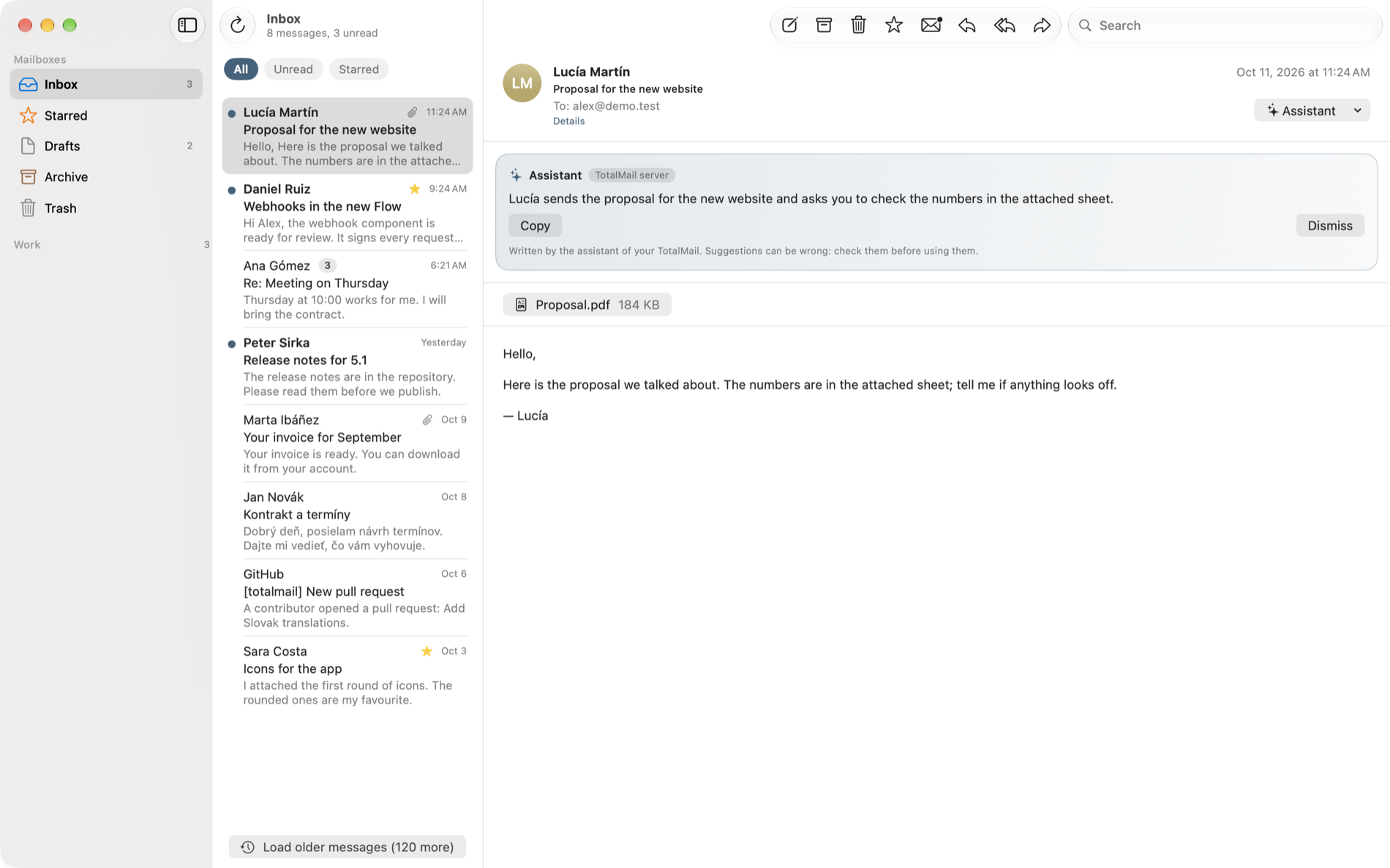
TotalMail on the Mac: the inbox, a message and a summary written by the assistant
TotalMail on the Mac · inbox, message and assistant.
NativeSwiftUI on Mac, iPhone and iPad
Your serverAccounts and rules stay with you
PrivateNo ads, no tracking, no analytics
OpenCommunity and source on GitHub

A day with your mail

Everything you do with mail, done well.

Read, answer, find and organize on the device you have in your hand, with an app that behaves like it belongs there.

Read at a glance

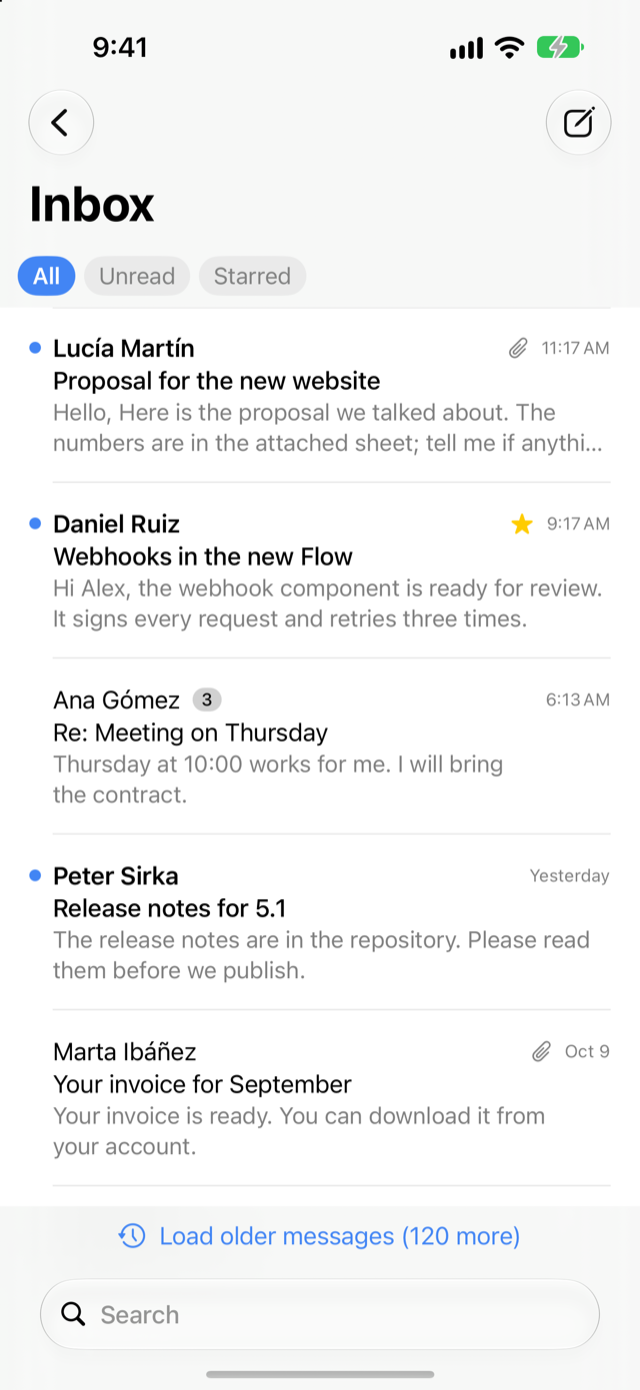
Conversations are grouped into one line with the number of messages. Swipe to mark, star, archive or trash. One tap filters to unread or starred mail.

  • Every account together, or one at a time
  • Older mail on demand, search on the server

Find anything

Type words, or narrow them down with operators that work the same everywhere.

from:anasubject:invoiceis:unreadhas:attachmentafter:2026-09-01

Write with care

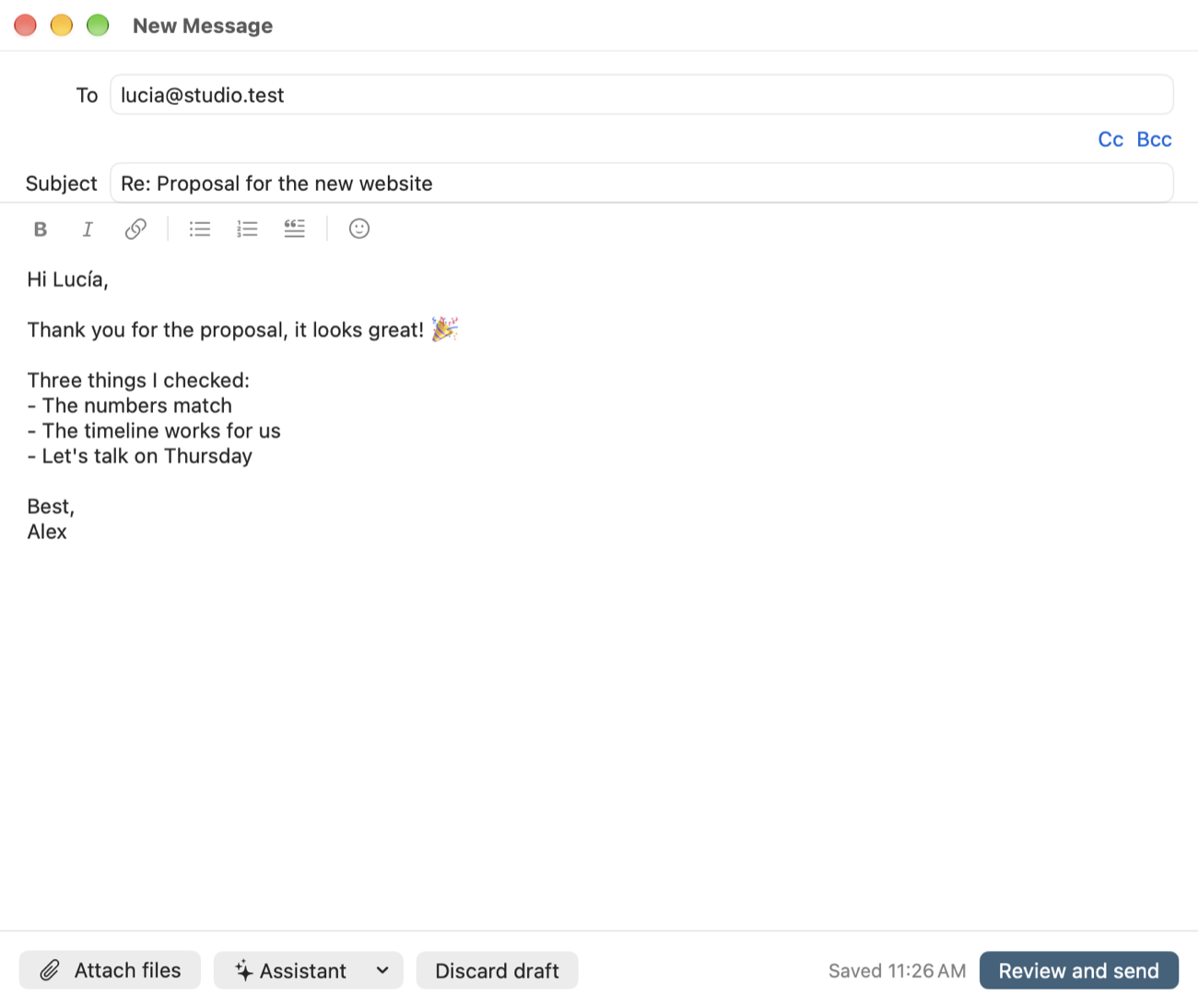
A formatting bar for bold, italic, links, lists and quotes, and emoji everywhere. Drafts are saved as you type and a last review shows who gets what before anything is sent.

Part of your device

Notifications with Mark as Read and Archive buttons, the unread count on the icon, Spotlight, Siri and Shortcuts, and email links that open TotalMail.

Help when you ask for it

An assistant that waits for you.

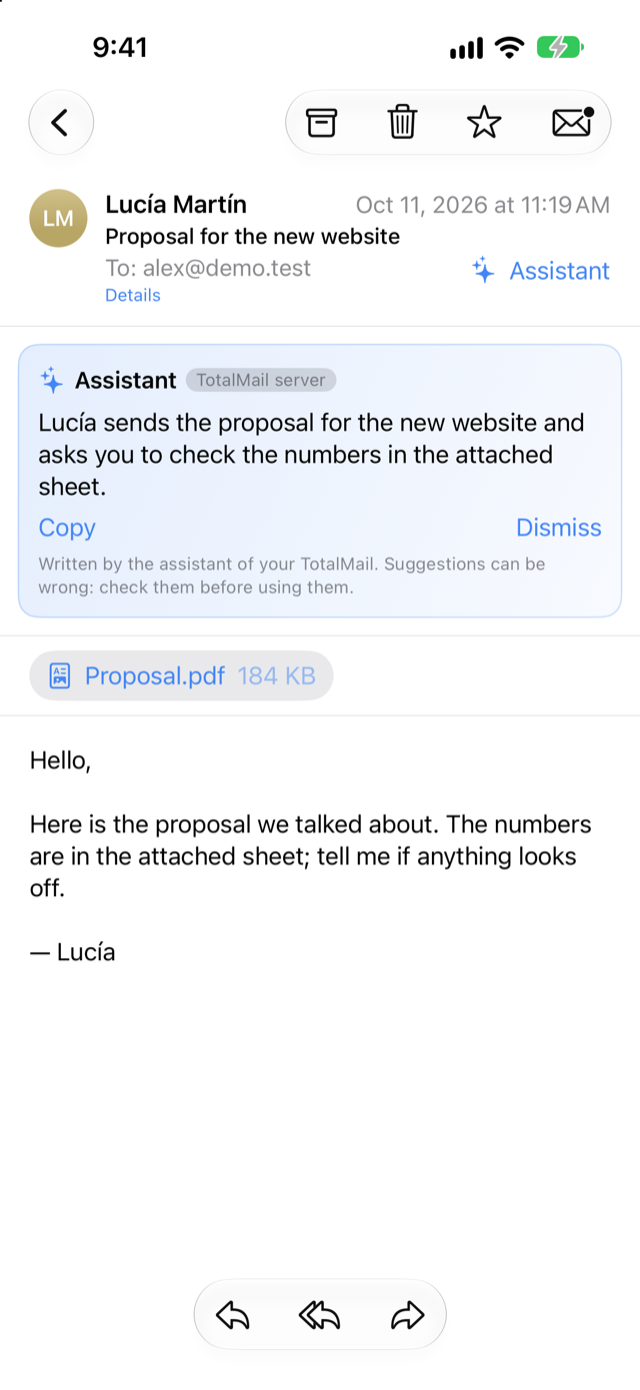
Summarize a long thread, translate a message, write a reply, turn a few words into a message, change the tone or check the spelling. You ask, it suggests, and you decide what to use.

  • Your TotalMail's assistant. The model your administrator connected to the server, with the knowledge base when there is one. The card tells you where your text went.
  • Apple Intelligence. Apple's on-device model, on the devices that have it. Nothing leaves the device.
  • You choose. Automatic uses your server's assistant first; one setting picks the other whenever you prefer.
TotalMail on iPhone showing a message with a summary written by the assistant
A suggestion on iPhone, labelled with who wrote it.

One app, three devices

The same mail, shaped for each screen.

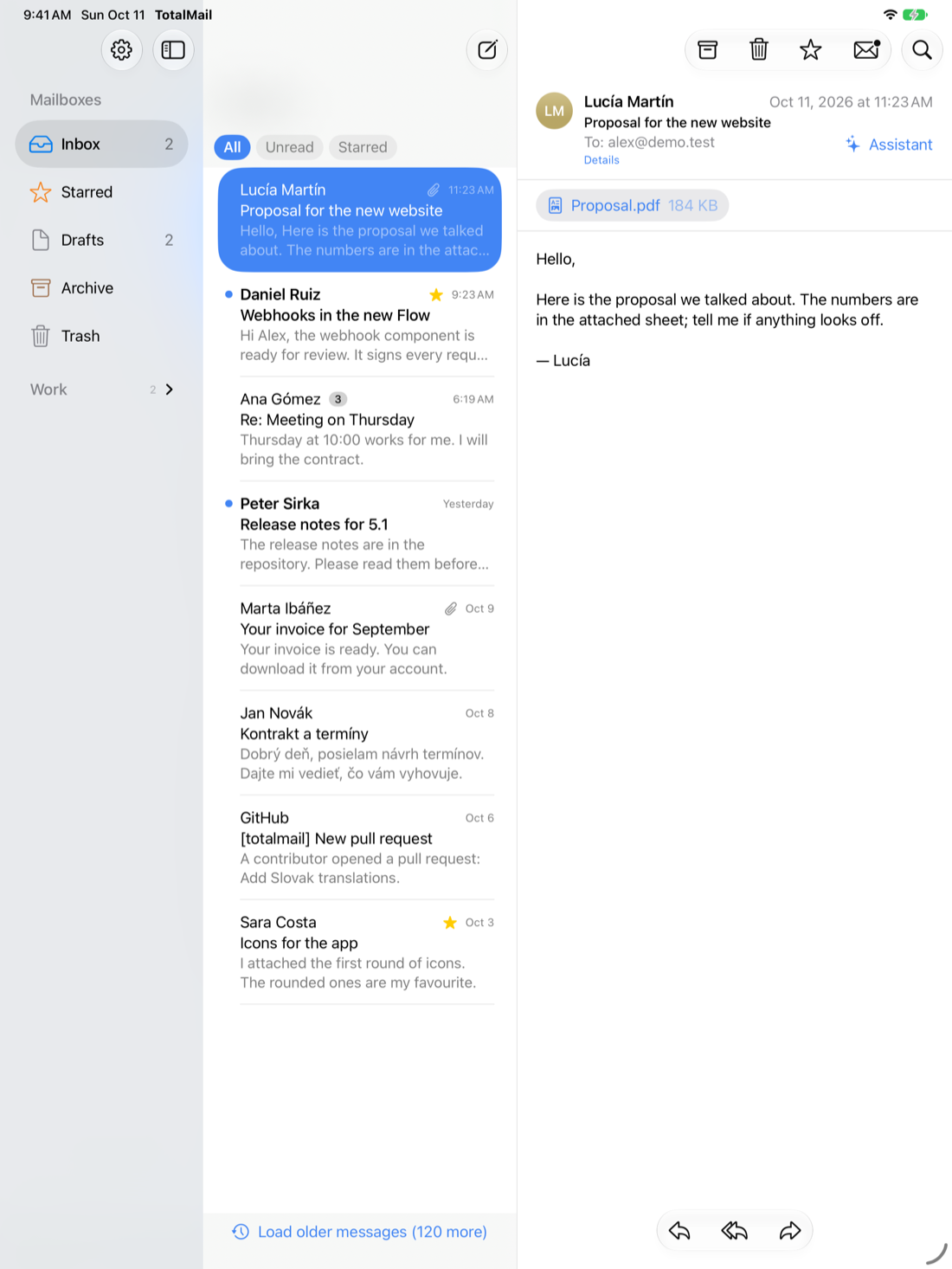
Columns on the Mac and iPad, a clean stack on iPhone. Sign in once on each device and see it listed in My devices, where you can sign it out at any time.

The TotalMail composer on the Mac with the formatting bar and emoji
Mac · writing
TotalMail on iPad with the list of messages and the open message
iPad · list and message
TotalMail on iPhone showing the inbox with filters
iPhone · inbox
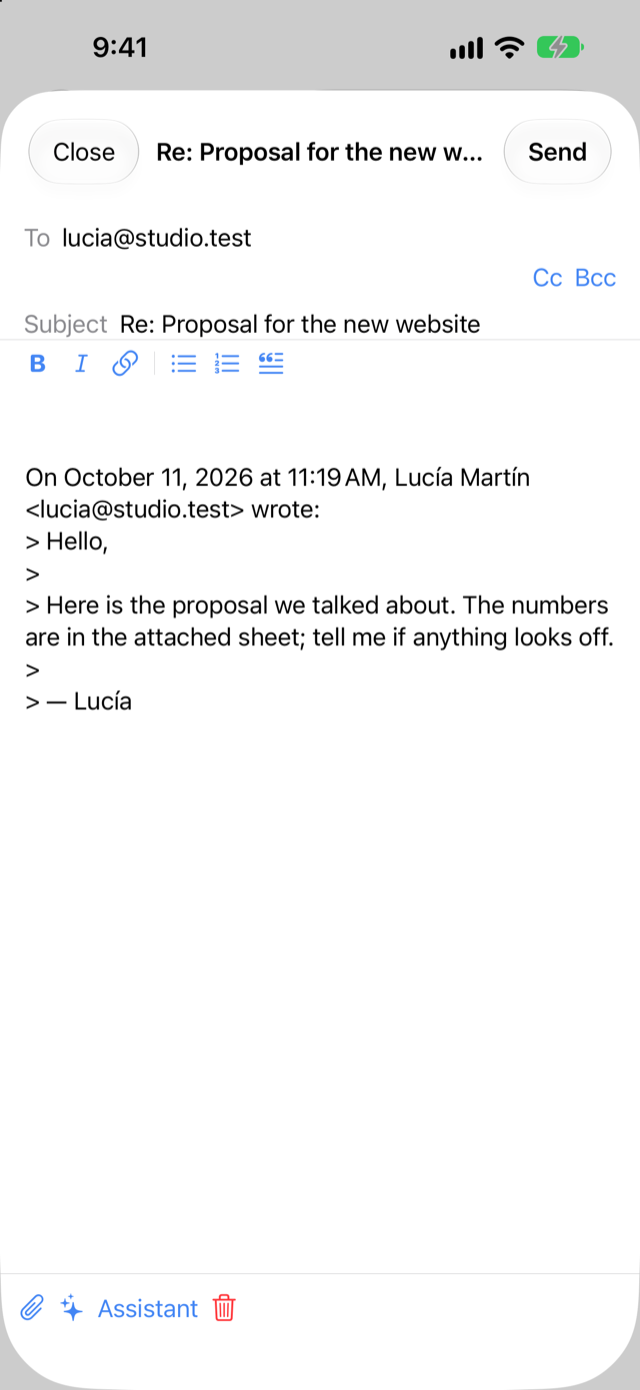
Writing a reply in TotalMail on iPhone
iPhone · reply
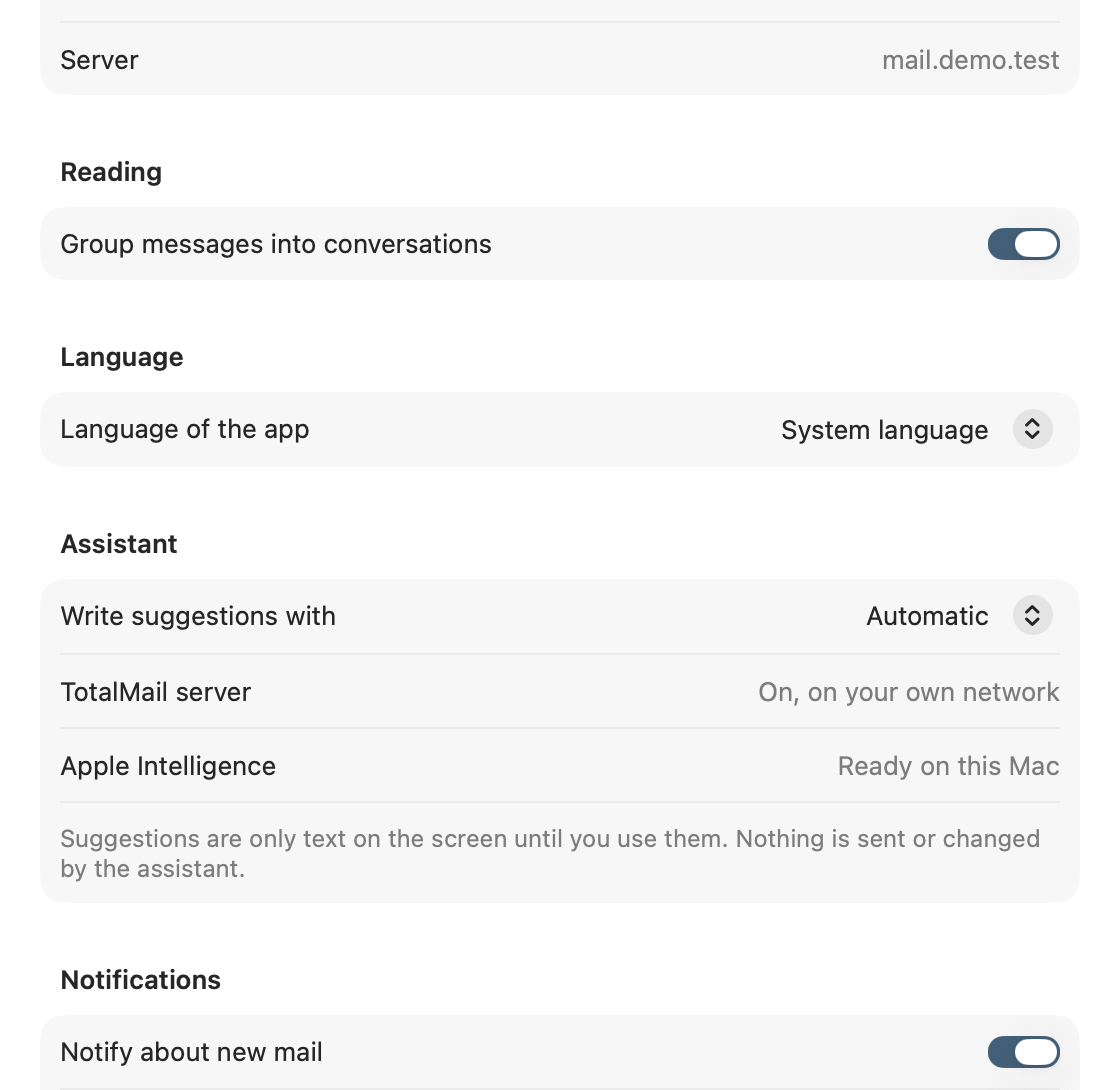
TotalMail settings on the Mac: language, assistant and reading options
Settings · language, assistant and reading.

Yours to arrange

In your language, set up your way.

TotalMail speaks English, Spanish and Slovak, with a help window and an About page built into the app. Choose how conversations are grouped, which assistant writes your suggestions and which notifications you want.

EnglishEspañolSlovenčina

Between you and your server

Your mail stays yours.

The app talks to the TotalMail server you enter and to nothing else. Your mail passwords stay on the server, the device key lives in the Keychain, and there is no advertising, tracking or analytics in the app.

Read the privacy policy

Your own mail, your own server

Run TotalMail. Read it natively.

TotalMail is built with Total.js and open to the community. Get the server from GitHub, and use the apps on the devices you carry.

Native appsmacOS 14+iOS 17+Open communityTotal.js 5